Replacing Tailscale's control plane with headscale and my own DERP relays
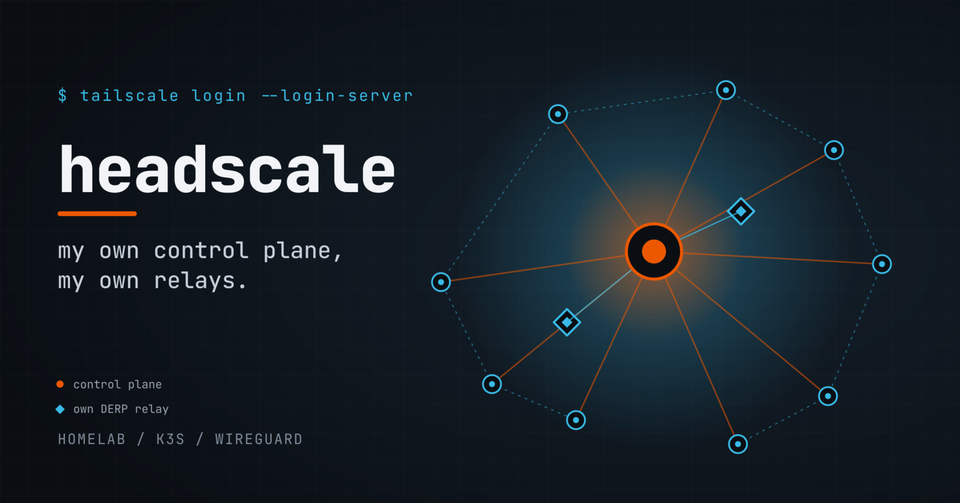
I ran my homelab on Tailscale's free plan for a long time. It worked, but I wanted the control plane on hardware I own, and I wanted to stop using Tailscale's public relay servers. This is how I moved a small k3s cluster, a few laptops and a phone to headscale, with my own relays, and what bit me along the way.
What headscale is (and isn't)
Headscale is an open-source implementation of the Tailscale control server. The tailscaled client on your devices stays exactly the same; you just point it at a different login server. Nothing is lost on the data plane: tunnels are still WireGuard, and devices still connect directly when they can.
What changes is who coordinates the network and who relays traffic when a direct path is impossible. My home internet is behind carrier-grade NAT, so direct paths are a lottery and relaying is common. That made the relay (DERP) the part I cared about most.
The layout
Two free-tier Oracle Cloud VMs act as k3s workers. Both have public IPs, which is exactly what a control plane needs.
| Host | Role |
|---|---|
| worker 1 | headscale (active) with its built-in DERP relay |
| worker 2 | headscale installed but disabled (cold standby) plus a standalone derper relay |
Headscale has no high availability. Two instances on one database corrupt each other, and a device can only be in one tailnet at a time. So the standby is a copy of the state, not a running replica:
- a nightly job snapshots the SQLite database and keys, then pushes them to the standby with
rsync - the standby accepts that push through a key pinned to the primary's IP and restricted to
rrsyncinto one directory - failover is "stop the relay, restore, start headscale, flip DNS"
Relaying is the part that can be redundant, so there are two relay regions: the built-in one on worker 1 and a standalone derper on worker 2. Losing either host still leaves a relay.
No public DERP
By default headscale merges Tailscale's public relay map into yours. I wanted none of it, so the relevant config is:
derp:
  server:
    enabled: true
    verify_clients: true     # only my devices may relay
    region_id: 999
  urls: []                   # do not load Tailscale's public map
  paths:
    - /etc/headscale/derp.yaml   # my second region, from the standalone derper
  auto_update_enabled: false

logtail:
  enabled: false
On each node I also run tailscaled with --no-logs-no-support, so devices don't upload logs to Tailscale either. tailscale debug derp-map now lists only my two regions.
TLS is automatic
Headscale does ACME itself (HTTP-01 on port 80), and the standalone derper uses autocert. After pointing two unproxied DNS records at the VMs, I did nothing: both certificates were issued and renew on their own. The records must not be proxied through a CDN, because the control protocol upgrades the connection and STUN uses UDP.
Oracle's firewall was open already, but the VMs also use ufw, so I added 80/tcp, 443/tcp and 3478/udp there.
The migration
I did not use tailscale up to move devices. It edits the current login, and re-authenticating against the old control plane needs a browser, so it is useless as an automatic way back. tailscale login instead adds a second profile, which means the old one is still there:
sudo tailscale switch --list                       # note the old profile ID
sudo systemd-run --on-active=15m --unit=ts-revert tailscale switch <old-id>
sudo tailscale login --login-server=https://headscale.example.com \
  --auth-key=file:/root/.hskey --hostname=<name>
sudo tailscale set --ssh --accept-routes
sudo systemctl stop ts-revert.timer                # once I'm reachable again
The delayed switch is a dead-man's switch: if I lose the node, it puts the old login back by itself.
The home server advertises the LAN subnet and the two workers advertise exit-node routes. Headscale doesn't auto-approve those, so I approved them by hand:
headscale nodes approve-routes -i 3 -r 192.168.0.0/24
headscale nodes approve-routes -i 4 -r 0.0.0.0/0,::/0
I also pushed my AdGuard resolver as the tailnet's global DNS, as the old tailnet did, so internal hostnames still resolve on every device.
Closing the door: SSH only over the tailnet
Once everything lived on the new tailnet, I shut SSH off to the internet. Both VMs now accept port 22 only on the Tailscale interface, and nothing else listens publicly except what the control plane and relays need:
| Port | Open to | Why |
|---|---|---|
| 22/tcp | tailscale0 only |
admin access |
| 80/tcp | anywhere | ACME HTTP-01 certificate challenge |
| 443/tcp | anywhere | control protocol and DERP |
| 3478/udp | anywhere | STUN |
| 41641/udp | anywhere | direct WireGuard between peers |
With ufw it comes down to one rule scoped to the interface and removing the public one:
sudo ufw allow in on tailscale0 to any port 22 proto tcp
sudo ufw delete allow 22/tcp          # the public rule
sudo ufw status numbered              # confirm 22 is listed "on tailscale0" only
That is the secure part: the SSH daemon is unreachable from the internet, so there is nothing to brute-force or scan. Access also becomes identity-based. I enable Tailscale SSH on the nodes (tailscale set --ssh) and allow it in the policy for my own user, so the tailnet authenticates me and I don't carry keys around.
There is one deliberate exception. The nightly state sync from the active node to the standby runs over SSH, and it can't use the tailnet: Tailscale SSH intercepts port 22 on tailnet addresses and ignores the rrsync restriction I rely on to keep that account confined to a single directory. So the standby also allows port 22 from the active node's address, and from nothing else, using a key pinned to that address:
sudo ufw allow in from <active-node-public-ip> to any port 22 proto tcp
I only noticed this when the backup started hanging after I closed SSH. If you lock SSH down, check what else quietly depended on it, such as backups, monitoring, and deploy jobs.
Two cautions before you do this to your own boxes:
- Test over the tailnet first. Confirm you can SSH in via the tailnet address before removing the public rule. If you remove the public rule and the tailnet is down, you are locked out.
- Keep a way back in. Cloud providers have a serial or recovery console (Oracle has one). Know where it is. It is the only fallback once SSH is tailnet-only.
The control plane's own ports have to stay public, since devices must reach it before they have a tunnel. That is why those few ports are listed above.
Things that bit me
The standalone relay rejected every client. derper -verify-clients asks the local tailscaled whether a peer belongs to its tailnet. Until that worker itself joined headscale, the relay was checking against the old tailnet and refused everyone. Move the host running the relay early.
I cut off my own route. I assumed my laptop reached the home server over the LAN. It didn't: it reached it through the old tailnet's subnet route. Once the server moved, that path vanished and I had to reach it through the new tailnet instead. Know which path you are actually using before you pull it.
IPs change. Headscale hands out addresses sequentially and there is no command to pick one. For k3s that meant adding the server's new address to tls-san, pointing every agent's server: and node-ip: at the new addresses, and restarting. Restarting an agent can exceed systemd's start timeout while containerd boots; it still comes up.
tailscale up and the login server. On the Mac, a plain tailscale up refused with "can't change --login-server without --force-reauth" because it assumed the default server. Naming the same server explicitly fixes it, with no re-login:
tailscale up --login-server=https://headscale.example.com --accept-routes
A stale peer. After I deleted a test node, my laptop kept an empty-looking peer row for it. Nothing was wrong in headscale; restarting the local tailscaled cleared it.
Don't pkill -f your own command. I ran pkill -f <pattern> where the pattern also appeared in my own shell command, and it killed the shell.
Day to day
The server CLI is small. These cover almost everything:
headscale nodes list
headscale preauthkeys create -u 1 -e 1h
headscale auth register --auth-id <id> --user <name>
headscale nodes list-routes
headscale nodes approve-routes -i <id> -r <prefix>
headscale policy check -f /etc/headscale/policy.hujson
I keep config and policy in Ansible and never edit them on the host, so a rerun can't undo a manual change.
Was it worth it?
For me, yes: the control plane and relays are mine, there is no dependency on a public relay map, and the whole thing is a playbook plus a DNS record. The costs are real, though. There is no HA, you own the certificates' firewall rules, and IP changes ripple into anything that hard-coded a tailnet address. If you only want the free plan to keep working, stay on it. If you want to own the pieces, headscale is solid and surprisingly small.